How to Use AR Drawing to Trace Coloring Pages on Paper (Step-by-Step for Kids)
Learn how to use AR drawing online to project and trace coloring pages on real paper. Create custom designs with AI, turn photos into coloring pages, and help kids draw with confidence in minutes.
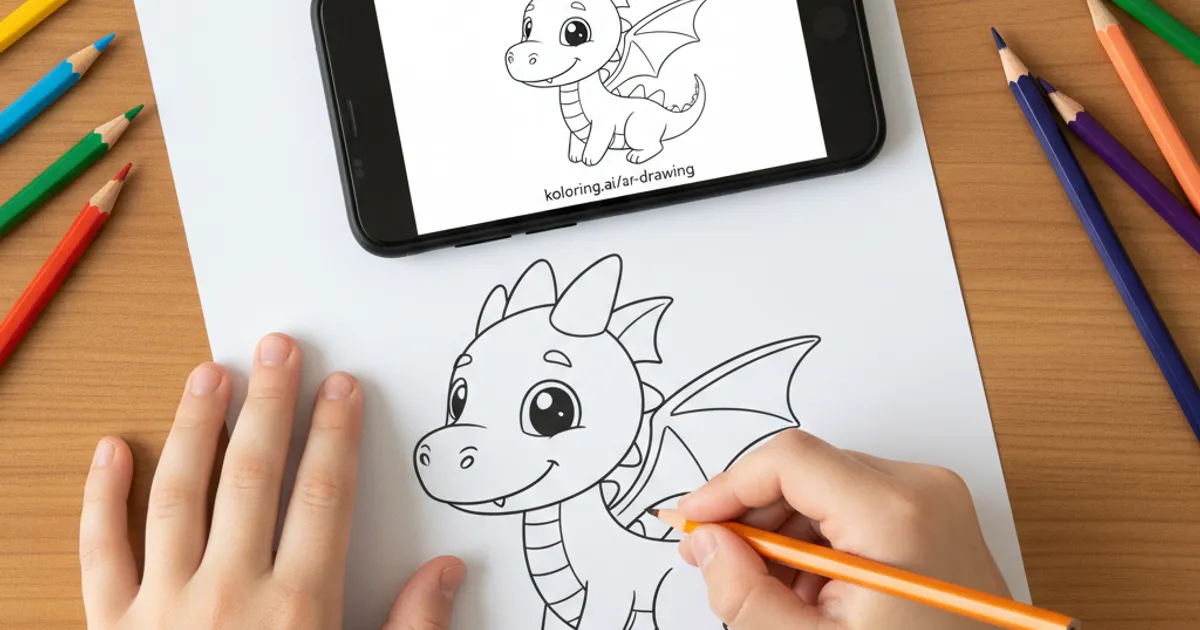

Your kid asks for a “dragon reading a book,” and five minutes later they’re frustrated because they can’t draw it. You grab your phone, and suddenly that dragon appears perfectly on paper, ready to trace. That’s the magic of AR drawing online—and it’s much easier than you think.
If you haven’t tried it yet, start by browsing a few ideas on browse all coloring pages to see what your child naturally gravitates toward.
What AR Drawing Actually Does (And Why Kids Love It)
AR drawing uses your phone’s camera to project a coloring page onto real paper, so your child can trace it like a guide. It feels a bit like cheating—but in the best way.
Instead of struggling with proportions, kids focus on confidence and creativity. They still move their hands, control the lines, and make choices—it just removes the “I can’t draw that” barrier.
Try projecting something simple like a Cute Sleeping Kitten or a Golden Retriever Puppy first. Familiar shapes make the experience smoother.
- Open the AR drawing — trace on real paper tool
- Place a blank sheet under your phone
- Adjust the image size and opacity
- Trace directly over the projection
Unexpected tip: Lower the screen brightness slightly—this reduces glare and makes pencil lines easier to see.
Research from organizations like NAEYC highlights how guided drawing builds early motor skills and confidence, especially when frustration is minimized.
Create Your Own Coloring Pages First (This Is the Fun Part)
The real upgrade is making your own designs before tracing them. With the AI coloring page creator, you don’t have to hunt for the “perfect” page—you just describe it.
Type something like:
- “A dragon reading a book”
- “A princess flying in space”
- “A robot baking cupcakes”
Then choose:
- Style: Cartoon, Realistic, Kawaii, Mandala, Stencil
- Complexity: Simple, Medium, Detailed
In seconds, you get a completely unique coloring page. You can use it immediately for AR coloring or print it.
You get:
- 2 free text creations
- 1 free photo-to-coloring conversion
- Unlimited access with Pro ($5.99/month)
You can even upload a photo—your pet, your child, or a toy—and use turn any photo into a coloring page to transform it.
Unexpected tip: Choose “Simple” complexity for younger kids—not because they need it, but because it keeps tracing sessions shorter and more satisfying.
According to Zero to Three, open-ended creative tools like this support problem-solving and imagination without overwhelming kids.
Best Types of Pages for AR Tracing
Not all coloring pages feel the same when projected. Some themes are easier and more exciting to trace.
Start with bold, clear shapes like:
Then move into more detailed designs:
A great middle-ground example is the Baby Dragon Hatching page—fun shapes with just enough detail to feel “advanced.”
Unexpected tip: Let your child trace only part of the drawing (like just the dragon), then free-draw the rest. It blends structure with creativity.
Scholastic recommends mixing guided and independent drawing to build both skill and imagination.
Turning AR Drawings Into a Daily Creative Habit
Once you’ve tried it once, it’s easy to turn this into a go-to activity—especially on slow afternoons or screen-time negotiations.
You can:
- Generate 2–3 custom pages each week
- Save favorites into a printable set
- Use create your own coloring book to build a full PDF booklet
Kids love seeing their own ideas turned into a real book. It also gives structure—something to come back to.
You can even let them explore finished designs in the community gallery for inspiration.
Unexpected tip: Keep a small clipboard just for AR tracing—it stabilizes the paper and makes setup faster, which matters more than you’d expect.
The American Academy of Pediatrics encourages creative, hands-on play like drawing as a healthy balance to passive screen use.
FAQ
Do I need a special app for AR drawing?
No. You can use the web-based AR drawing — trace on real paper tool directly from your phone—no installation needed.
What age is this best for?
It works surprisingly well from ages 4 and up. Younger kids enjoy simple shapes, while older kids can handle detailed designs like mandalas or dragons.
Is tracing actually helpful for learning to draw?
Yes. Tracing builds hand control and visual understanding. Over time, kids naturally rely less on guides and start drawing independently.
Ready to turn your child’s wildest ideas into something they can actually draw? Try it yourself with the AI coloring page creator and start tracing in minutes.