How to Create Custom Coloring Pages with AI (Free Guide)
Discover how to make your own coloring page in seconds using the free AI coloring page generator at Koloring.ai. Type any idea, pick a style, and print, no experience needed.
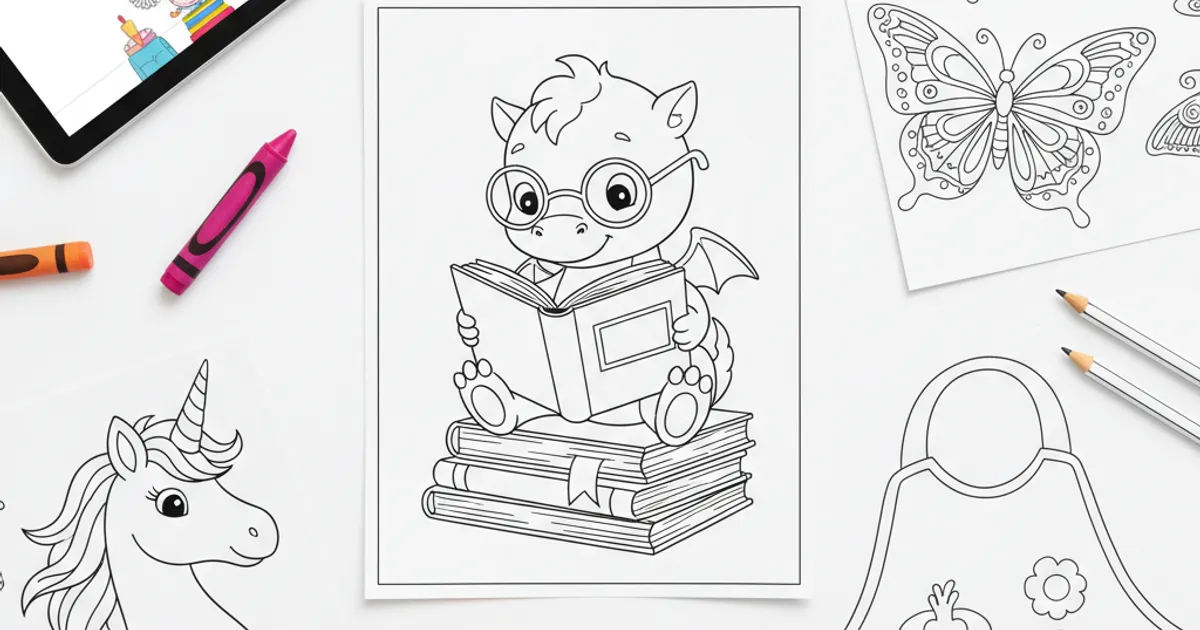

Your kid just declared — mid-grocery trip — that they only want to color pages with "a purple dragon who wears glasses and reads books." Generic coloring books? Not going to cut it. That's exactly the gap an AI coloring page generator is designed to close, and the best part is you can make one in about 30 seconds, for free.
Before we get into the how, grab a free page from browse all coloring pages to have something ready while you read.
What Makes AI Coloring Pages Different
Traditional coloring books are one-size-fits-all. Your child gets what the publisher decided was interesting, in the style they chose, at the complexity level they assumed was appropriate. AI flips that entirely.
With an AI coloring page creator, you describe exactly what you want — something like "a Baby Dragon Hatching from a glowing egg surrounded by stars" — and the tool generates a brand-new, unique image in seconds. No two pages are the same, which means your child's coloring session becomes a genuinely personal creative experience.
According to the National Association for the Education of Young Children (NAEYC), open-ended art experiences support children's cognitive, language, and social-emotional development in ways that pre-set, product-driven activities simply can't match. Giving kids ownership over what they color is part of that equation.
Unexpected tip: Letting your child dictate the prompt out loud — rather than you typing it yourself — turns the whole thing into a language development activity. They practice describing, sequencing, and expressing ideas before the page even prints.
How the Koloring.ai AI Generator Actually Works
Head to the AI coloring page creator and you'll see it's genuinely simple — no account required to start.
Here's the step-by-step:
- Type a description — anything from "a Golden Retriever Puppy chasing butterflies in a meadow" to "a wizard casting spells on the moon"
- Pick a style — choose from Cartoon, Realistic, Kawaii, Mandala, or Stencil depending on your child's age and skill level
- Set the complexity — Simple works great for toddlers, Medium suits most school-age kids, and Detailed is ideal for older children or adults who want a challenge
- Hit generate — the AI produces a unique, ready-to-color page in seconds
You get 2 free text-to-coloring-page creations and 1 free photo conversion without spending a cent. If your family falls in love with it (most do), the Pro plan is just $5.99/month for unlimited generations — check the pricing plans for details.
Unexpected tip: The Mandala style works surprisingly well for non-mandala prompts. Type "a cat sleeping" in Mandala style and you get a gorgeous symmetrical design that even adults find meditative to color. Speaking of cats — the cat coloring pages section has beautiful ready-made options too, like the Mama Cat with Three Tiny Kittens.
The Photo-to-Coloring-Page Feature Is a Game Changer
This might be the most underrated thing the tool does. You can turn any photo into a coloring page — your pet, your backyard, even your child's face — and the AI converts it into a clean line-drawing coloring page inspired by that image.
For birthdays, this is gold. Upload a photo of grandma's garden and turn it into a custom card your child colors themselves. Upload your dog and suddenly you have a personalized coloring page that no store shelf can match.
Free printable coloring pages and creative ideas, straight to your inbox.
No spam. Unsubscribe anytime.
The American Academy of Pediatrics notes that play — including creative, open-ended art — is fundamentally important for building problem-solving, collaboration, and creativity skills. Giving kids a coloring page of their own world deepens that engagement in a way a generic dinosaur coloring page simply can't, even a beloved Baby Pterodactyl Learning to Fly.
Unexpected tip: Black-and-white photos convert better than colorful ones. If your source image has strong contrast and clear outlines — think a sunny outdoor portrait — the resulting coloring page will have much cleaner, more colorable lines.
Beyond a Single Page: Coloring Books, Camera Trace & Sketch, and Online Coloring
Once you've generated a few pages you love, you don't have to stop there.
Make a custom coloring book. The coloring book creator lets you pick any combination of AI-generated pages and compile them into a downloadable PDF booklet. Perfect for a car trip, a rainy afternoon pack, or a thoughtful handmade gift. You could build a whole booklet around a theme — say, unicorn coloring pages, princess coloring pages, and fairy coloring pages — in under five minutes.
Try Camera Trace & Sketch to trace on real paper. The Camera Trace & Sketch feature projects your AI-generated image through your phone camera onto a real sheet of paper, so kids can trace it freehand with an actual pencil or marker. This bridges screen time and hands-on creativity in a way that genuinely builds fine motor skills — something Zero to Three emphasizes as a key developmental milestone in early drawing stages.
Color directly on screen. If paper isn't an option right now, the color online tool lets kids fill in pages digitally with a tap. Great for tablets on the go, and zero crayon cleanup required.
Unexpected tip: Use the coloring book creator to make "theme packs" around school projects. If your child is learning about space, generate 6–8 pages of planets, rockets, and astronauts, then print and bind them. It turns space coloring pages into a tactile study companion.
FAQ: Questions Parents Actually Ask
Is it really free to use?
Yes — you get 2 free AI text generations and 1 free photo conversion with no account needed. The AI coloring page creator is free to try right now, and the ready-made library at koloring.ai/coloring-pages is completely free to browse, download, and print.
What age is this best for?
The tool works for any age — you just adjust the complexity setting. Choose Simple for toddlers and preschoolers (think big, open shapes), Medium for ages 6–10, and Detailed for older kids, teens, and adults who enjoy intricate work like mandala coloring pages or the delicate lines of a Monarch Butterfly with Detailed Wings.
Can my child use it without my help?
Older kids (8+) can navigate it independently — it's genuinely that simple. For younger children, co-creating the prompt together is actually the most valuable part. Ask your 5-year-old to describe their dream scene, you type it in, and watch their face when the page appears. That moment of "the computer drew my idea" is surprisingly powerful for building creative confidence.
Start your first custom page right now — visit koloring.ai/coloring-pages/ and let your child's imagination run the show.
Free printable coloring pages and creative ideas, straight to your inbox.
No spam. Unsubscribe anytime.