Best AI Art Tools for Creating Coloring Pages (2026)
By Koloring Editorial Team
AI art tools for coloring make it possible to create custom, printable coloring pages from any photo or drawing in seconds. This guide explains how they work, which tools are best for kids, and how to get crisp, easy-to-color outlines every time. You’ll also find tips for turning your child’s own
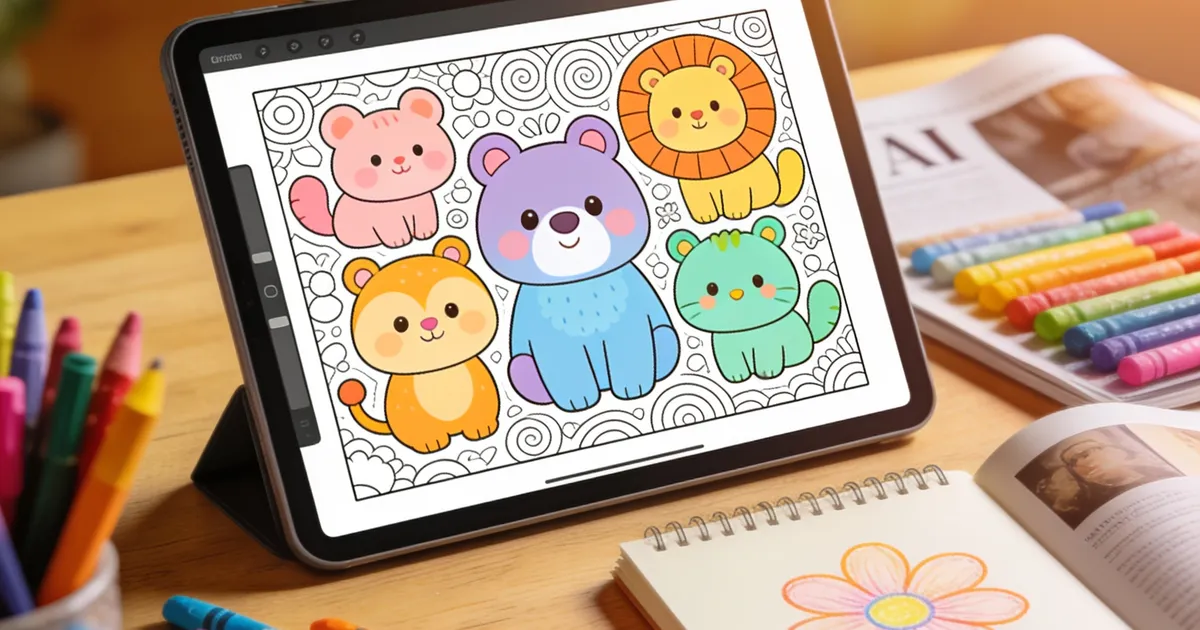

AI art tools for coloring instantly turn your photos, drawings, or text prompts into printable coloring pages using artificial intelligence. These tools generate clean, black-and-white line art that children can color with crayons, markers, or digital brushes. Instead of endlessly scrolling through generic pages, you can create a custom coloring sheet — a child’s own drawing, a family snapshot, or a favorite animal — in seconds.
The free AI coloring page creator on koloring.ai uses a cartoon style with bold 2pt outlines, designed specifically for bucket-fill coloring by little hands. The result is a page that prints with crisp, unbroken lines, so kids stay engaged without frustration.
How Do AI Art Tools for Coloring Work?
AI art tools for coloring work by analyzing an image with computer vision models, detecting the strongest edges and contours, and turning them into a simplified black-and-white illustration. The algorithm strips away color, texture, and shading, keeping only the essential outlines.
Most tools let you choose a style. At koloring.ai, the “cartoon” style is the default — it produces thicker outlines that are easier for young children to color inside. The “sketch” style gives a lighter, more detailed look that works better for older kids or adults. You can upload a photo, let the AI trace the key shapes, and download a ready-to-print PDF in under a minute.
If you want to understand the full process behind creating a custom page, our guide to creating coloring pages with AI walks through every step.

Best AI Tools to Create Coloring Pages from Photos
A dedicated coloring page generator is the quickest way to go from a photo to a clean, child-friendly outline. The photo-to-coloring-page tool on koloring.ai does exactly that — you upload any image, and it returns a crisp line drawing within seconds.
General-purpose AI art platforms like Midjourney or DALL·E can generate images, but they rarely produce the bold, unbroken lines a coloring page needs. You’ll often get messy edges, unwanted shading, and faint lines that disappear when printed. A tool built specifically for coloring pages bypasses that cleanup entirely.
For parents who want to make a full coloring book, the same AI can turn a series of uploaded photos into a bound set. The create a coloring book feature bundles multiple pages into a single PDF, ready to staple or spiral-bind. This is especially handy for themed birthday party favors or a rainy-day activity stash.
If you have a child who loves to draw, try the turn your kid’s drawing into a coloring page option. It captures the charm of their original artwork and turns it into a page they can color again and again.
Tips for Getting the Best AI Coloring Pages
Upload a clear, well-lit photo. The AI looks for edges, so a sharp image with good contrast between the subject and the background produces the cleanest outlines. A blurry snapshot will give you fragmented lines that are hard to color.
Free printable coloring pages and creative ideas, straight to your inbox.
No spam. Unsubscribe anytime.
Start with simple subjects. A single stuffed animal, a hand-drawn shape, or a close-up of a face works better than a busy playground scene. The AI can get confused by too many overlapping elements and may over-complicate the line art.
Use the cartoon style for young children. Thicker outlines (like the 2pt strokes in koloring.ai’s cartoon style) are much easier for preschoolers to see and fill. For older kids who enjoy more detail, switch to the sketch style after the initial generation, if the tool supports it.
Be specific with text prompts. If you’re using a text-to-coloring-page feature, describe exactly what you want: “simple cartoon unicorn with thick lines, no background” will give you a far better result than just “unicorn.”
Many parents pair the AI-generated pages with the Camera Trace & Sketch tool so kids can trace the outline onto paper first, then color the traced version. This builds pencil control and doubles the creative fun.
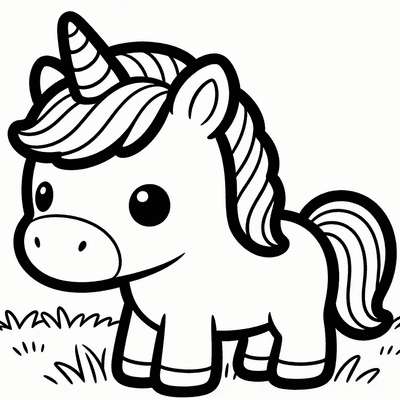
Create a themed collection. Once you’ve made one page, you can quickly generate a whole set — farm animals, space scenes, or fairy tale characters — and save them as a personalized coloring book. The step-by-step guide to making a coloring book for KDP shows how to turn these AI pages into a polished printable book.
Frequently Asked Questions
Can AI really create good coloring pages for kids?
Yes. AI produces coloring pages that are often cleaner and more consistent than hand-drawn printables because the algorithm is trained to isolate clean outlines. Many parents tell us that the pages they generate from photos of their child’s favorite toys end up being the most-used pages in the house. The key is using a tool that outputs bold, continuous lines, like the cartoon style on koloring.ai.
Are AI-generated coloring pages free?
Many AI coloring page tools offer free generations, and koloring.ai’s creator is completely free to use without a signup. You can turn a photo into a coloring page, download it, and print it as many times as you want. Some platforms limit the number of free images per day, but koloring.ai currently has no such cap.
Can I use AI to turn my child’s drawing into a coloring page?
Absolutely. The drawing-to-coloring-page tool lets you upload a photo of your child’s artwork. The AI traces the main shapes and converts them into a clean coloring page. It’s a wonderful way to honor their creativity while giving them a fresh canvas to experiment with new color combinations.
With AI art tools for coloring, you’ll never run out of fresh pages again. Grab a photo from your phone, try the free AI coloring page creator, and let your child pick their first custom page — no signup needed.
Free printable coloring pages and creative ideas, straight to your inbox.
No spam. Unsubscribe anytime.