How to Make a Coloring Book for KDP (Step by Step)
Learn how to make a coloring book for KDP using AI tools—no design skills needed. Create, format, and publish your own coloring book in just a few steps.
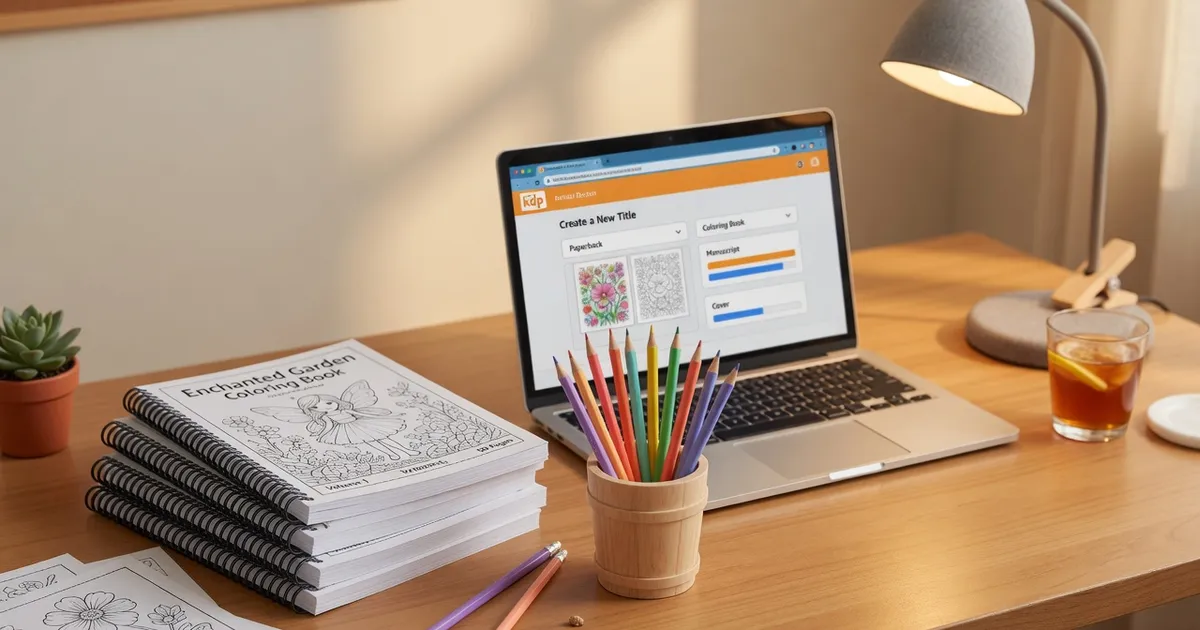

Someone on Reddit made $4,200 in their first month selling coloring books on Amazon KDP , with no design experience, no art skills, and no paid tools. That number stopped me mid-scroll. It turns out KDP coloring books are one of the lowest-barrier passive income products you can launch, and the barrier just got even lower with AI.
This guide walks you through the entire process: from picking a niche to uploading a finished book to Amazon's shelves.
Step 1: Pick a Niche That Actually Sells
Most beginners make the same mistake , they pick a theme they personally love instead of one the market wants. Both can overlap, but you need data first.
Start by browsing Amazon's coloring book bestseller list. Look for themes with consistent demand but not overwhelming competition. Animals, fantasy creatures, and seasonal themes are perennial winners. So are stress-relief mandala books for adults and "cute kawaii" styles for teens.
Some niches that consistently perform well on KDP:
- Animals (cats, dogs, horses, birds)
- Fantasy (dragons, mermaids, fairies, unicorns)
- Seasonal (Christmas, Halloween)
- Relaxation (mandalas, florals)
- Vehicles and robots (for young boys , an underserved niche)
- Princesses and castles (evergreen for girls 4–9)
Unexpected tip: Search Amazon for "[theme] + coloring book" and filter by "Last 30 days." Check the BSR (Best Seller Rank) on the product page , any book under 300,000 BSR is selling regularly. Under 100,000 means it's selling well every day.
The narrower your niche, the better you'll rank. "Dog coloring book" is harder to crack than "Golden Retriever coloring book for kids." Specificity wins on KDP.
Step 2: Create Your Coloring Pages (The Fast Way)
This used to be the hardest part. You either hired an illustrator, bought clipart bundles with sketchy licenses, or spent weeks learning Procreate. None of those options are fast or cheap.
The smarter approach now is to use the AI coloring page creator at Koloring.ai. Here's exactly how it works:
How to Generate Pages with AI
- Type a description , something like "a dragon reading a book" or "a princess in a castle tower with long flowing hair"
- Choose a style , Cartoon, Realistic, Kawaii, Mandala, or Stencil
- Pick complexity , Simple (great for kids 3–6), Medium (ages 7–10), or Detailed (older kids and adults)
- The AI generates a unique, print-ready coloring page in seconds
You get 2 free text-to-image creations and 1 free photo conversion to try it out. The Pro plan is $5.99/month for unlimited generations , which, compared to hiring an illustrator at $15–50 per page, pays for itself immediately.
Unexpected tip: Don't just generate 30 random pages. Build a visual narrative within your book. If your theme is dragons, start with a Baby Dragon Hatching from an Egg, progress through young dragon scenes, and end with an epic adult dragon. Buyers notice this, and it drives better reviews.
Using Photos as Source Material
If you have a photo of your kid, your pet, or even a drawing your child made , you can turn any photo into a coloring page using the same tool. Upload the image, and the AI converts it into a clean line-art coloring page. This is a massive differentiator for personalized gift books.
For a KDP book on cat coloring pages, you could generate 25 AI cat illustrations, then add 5 pages created from real cat photos for variety. Pages like Mama Cat with Three Tiny Kittens or a Cute Sleeping Kitten are exactly the kind of cozy, specific scenes that get Amazon buyers to click "Add to Cart."
Step 3: Build Your Book and Format It for KDP
Once you have your pages, you need to compile them into a properly formatted PDF. KDP has specific requirements that will reject your upload if you get them wrong.
KDP Formatting Requirements
- Trim size: 8.5 x 11 inches is the most popular for coloring books
- Interior: Black and white, 60lb paper (standard), or premium 70lb if you want better crayon/marker performance
- Bleed: 0.125 inches on all sides if your artwork goes to the edge
- Margins: At least 0.25 inches, with 0.375 inches on the gutter (binding side)
- Resolution: 300 DPI minimum , anything less looks blurry when printed
The fastest way to assemble your book is with Koloring.ai's own coloring book creator. You select your AI-generated pages, arrange them, and export a PDF booklet ready to upload. No InDesign, no Canva juggling, no manually resizing 30 images.
Unexpected tip: Add a "Color Test Page" at the very back , just a strip of empty boxes with labels like "Crayons," "Colored Pencils," "Markers." It costs you nothing, but buyers love testing their supplies before marking up the real pages. It's a small touch that elevates your book above the bulk-generated competition.
Free printable coloring pages and creative ideas, straight to your inbox.
No spam. Unsubscribe anytime.
Cover Design
Your cover is your #1 sales driver on Amazon. KDP provides a free Cover Creator tool, but for a polished result, use Canva with KDP's cover template (they give you exact spine width based on page count).
Use one of your best AI-generated pages as the hero image, add a clean sans-serif title font, and make sure the color palette pops , even in Amazon's small thumbnail view. A Beautiful Rose with Detailed Petals or a Monarch Butterfly with Detailed Wings make stunning cover images because of their intricate detail.
Step 4: Publish, Price, and Promote Your KDP Coloring Book
Publishing is the easy part , it's the strategy around it that separates books that earn $40/month from books that earn $400/month.
Uploading to KDP
- Go to kdp.amazon.com and click "Create a Paperback"
- Fill in title, subtitle, description, and keywords (this is your SEO , treat it seriously)
- Upload your interior PDF and cover PDF
- Set your trim size, paper type, and finish (matte covers outsell glossy for coloring books)
- Price your book and choose territories
Pricing Strategy
Most successful KDP coloring books for kids are priced between $6.99 and $9.99. Adult relaxation books (mandala, floral, stress-relief) sell well at $9.99–$12.99.
Your royalty on a 60-page 8.5x11 book priced at $7.99 will be roughly $1.80–$2.20 after printing costs. That sounds small , but 100 sales/month across 5 books is $900–$1,100 in passive income.
Unexpected tip: Publish a "sampler" version , a free or $0.99 digital Kindle edition with 10 pages from your book. Parents often search for printable options before buying physical books. That sampler builds your review count fast, which boosts your paperback ranking.
Keywords That Actually Work for KDP Coloring Books
Your 7 KDP keyword slots are prime SEO real estate. Use phrases buyers actually search, not just broad terms:
- "coloring book for girls ages 4-8"
- "easy coloring pages for toddlers"
- "dinosaur coloring book for kids"
- "relaxing mandala coloring book adults"
- "cute animals coloring book kindergarten"
The NAEYC (National Association for the Education of Young Children) publishes research on age-appropriate creative activities that can help you understand what developmental language parents use when searching , which translates directly into better keyword targeting.
Build a Small Backlist Fast
One book won't change your life. Five to ten books in complementary niches will. Once you have a working process , niche research, AI generation, book creation, upload , you can publish a new KDP coloring book every week or two.
Think in series: a dinosaur coloring pages book, a space coloring pages book, and a robot coloring pages book share an audience (kids ages 5–9 who love "cool stuff") and cross-promote each other on Amazon's "Customers also bought" section.
According to the American Academy of Pediatrics, creative activities like coloring support fine motor development, focus, and emotional regulation in children , which means parents are actively looking for quality coloring content. You're not just building a business; you're filling a real need.
FAQ
Is it legal to use AI-generated images in a KDP coloring book?
Yes , AI-generated images you create through tools like Koloring.ai's AI coloring page creator are yours to use commercially. Always check the terms of service for any tool you use, but Koloring.ai's Pro plan covers commercial use. The U.S. Copyright Office has issued guidance that AI-generated works can be registered with sufficient human creative input (like your prompts, curation, and arrangement).
How many pages should a KDP coloring book have?
Most best-selling kids' coloring books on KDP are 32–60 pages. Single-sided printing (images on the right page only, blank left page) is worth the extra page count , it prevents crayon bleed-through and parents notice and appreciate it. Adult coloring books often go to 80–120 pages.
Do I need to print a proof copy before publishing?
Yes, always. Order a proof copy before going live , it costs just a few dollars plus shipping. Colors, line weights, and bleed areas can look completely different on paper versus your screen. A proof copy takes 3–5 days but saves you from publishing a book with formatting errors that tank your reviews.
Start with one niche, generate your first 30 pages at koloring.ai/create, assemble your PDF, and have your first book live on Amazon within a week , then browse all coloring pages for inspiration on your next one.
Free printable coloring pages and creative ideas, straight to your inbox.
No spam. Unsubscribe anytime.