How to Turn Any Photo Into a Coloring Page
By Koloring Editorial Team
Turning a photo into a coloring page takes about 10 seconds with an AI-powered converter — no drawing skills required. The key is choosing the right photo and matching the line-art style to your child's age. This guide covers photo selection, style settings for ages 3 to adult, and creative ways to


Turning a photo into a coloring page takes about 10 seconds with the right tool, and the result is a crisp, printable line drawing your child can color immediately. You don't need drawing skills or special software — just a clear photo and a browser. This means you can transform a family portrait, a pet snapshot, or your kid's favorite toy into a custom coloring sheet before snack time is over.
How Does a Photo to Coloring Page Converter Work?
A photo-to-coloring page converter scans your image and identifies edges — the boundaries between light and dark areas, shapes, and facial features. It strips away color and shading, then redraws those edges as clean black outlines on a white background. The best converters don't just run a basic edge-detection filter. They simplify complex areas like hair and grass into colorable shapes while preserving the recognizable details that make the subject look like your dog, your child, or your car.
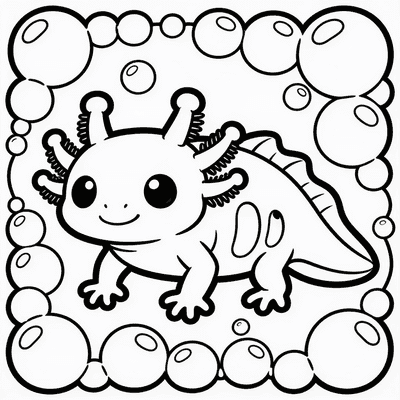
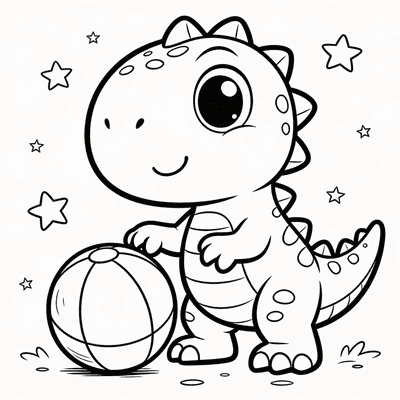
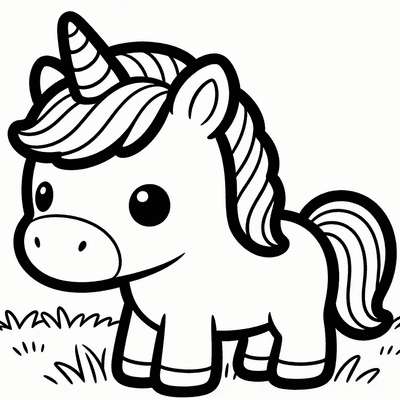
Most free online converters produce a single line-art style with inconsistent results. The AI coloring page creator on koloring.ai offers five distinct styles — Cartoon, Simple, Detailed, Manga, and Stained Glass — each built for different ages and coloring preferences. The Cartoon style uses bold 2pt outlines and simplified shapes, making it ideal for younger children who need thicker lines for bucket-fill coloring. The Detailed style preserves finer textures like fur and fabric folds, better suited for older kids and adults who enjoy precision work with colored pencils.
How to Turn a Photo into a Coloring Page (Step by Step)
The process is straightforward, but a few small decisions make the difference between a frustrating scribble and a page your child actually wants to finish. Here's what works.
Choose the Right Photo
Not every photo makes a good coloring page. The best results come from images with a single clear subject against a simple or uncluttered background. A close-up of your child's face against a plain wall works beautifully. A group shot of twelve kids running through a busy playground? That turns into visual noise.
Good photo choices: a pet sitting on the floor, a single flower against the sky, a toy against a tabletop, a portrait from the shoulders up. Avoid busy patterns on clothing, heavy shadows across faces, and anything with lots of overlapping small objects. Natural daylight photos tend to produce cleaner edge detection than dim indoor shots.
Once you've picked your photo, head to the turn a photo into a coloring page tool and upload it. You'll see a live preview of the line art in seconds.
Select the Right Style for Your Child's Age
This step matters more than most parents realize. Pick a style too detailed for your child's motor skills, and they'll get frustrated and abandon the page. Here's a quick guide based on what works in practice:
- Cartoon style (bold 2pt outlines): Best for ages 3–5. The thick lines create large, easy-to-hit coloring zones. Crayons work perfectly here.
- Simple style (medium outlines, moderate detail): Best for ages 6–9. Enough detail to feel like "real" art without being overwhelming.
- Detailed style (fine lines, full texture): Best for ages 10+ and adults. These pages reward patience and look stunning with colored pencils or fine markers.
- Manga style: Great for kids who love comics and anime, with expressive line work that pops with bright markers.
- Stained Glass style: Segmented sections that mimic glass panes — fantastic for experimenting with translucent color effects.
Many parents find that printing the same photo in two different styles — Cartoon for the 4-year-old and Detailed for the 10-year-old — turns coloring time into a shared activity where each child works at their own level.
Download and Print for Best Results
After selecting your style, download the coloring page as a PDF or PNG. For printing, use standard letter-size paper and select "Actual Size" or "100% scale" in your print dialog — scaling to fit can thin out the lines. Cardstock works better than standard printer paper if your child presses hard with markers, preventing bleed-through to the table underneath.
A practical tip: print two copies. Kids often want a "practice round" once they see the lines, and having a backup removes the pressure to get it perfect on the first try.
What Makes an AI Coloring Page Generator Different from a Basic Filter?
A basic photo filter applies the same mathematical edge-detection formula to every image. It doesn't "know" it's looking at a face, a dog, or a tree. An AI-powered generator like the one built into koloring.ai does something fundamentally different — it recognizes what's in the photo and adjusts its line work accordingly.
According to Scholastic, coloring and drawing activities improve fine motor skills, encourage focus, and nurture creativity. When a child colors a page made from their own photo, that engagement deepens — it's not just any butterfly, it's the butterfly they spotted in the backyard last Tuesday.
Free printable coloring pages and creative ideas, straight to your inbox.
No spam. Unsubscribe anytime.
The AI identifies faces and preserves key features like eyes, noses, and smiles as recognizable shapes rather than dissolving them into abstract squiggles. It simplifies textured areas like grass and carpet into colorable regions with clean boundaries. It also removes background clutter that a basic filter would turn into distracting line noise. The result is a page that looks intentionally drawn, not like a computer glitch.
For a full walkthrough of how AI generates coloring pages from scratch — not just from photos but from text prompts and kids' drawings too — read our complete guide on how to create custom coloring pages with AI.
Creative Ways to Use Photo-Based Coloring Pages
Photo coloring pages work for more than just afternoon quiet time. Here are a few ideas parents have shared that go beyond the obvious.
Personalized party activity. Turn a photo of the birthday child into coloring pages for every guest. Set out crayons at a table and let kids color their friend. It doubles as a party favor they actually keep.
Family portrait gallery. Convert a family photo into a coloring page, print one for each child, and let everyone color their own version. Frame the results side by side — the variation in color choices reveals personality in a way store-bought art never does.
Pet memorial or keepsake. When a beloved pet passes, turning a favorite photo into a coloring page gives children a gentle, hands-on way to process the loss. They can color the pet "one more time" and hang it in their room.
Seasonal cards and gifts. A photo of your child waving, converted to a coloring page and colored by them, becomes a one-of-a-kind holiday card for grandparents. It's more personal than any store-bought card and costs pennies to produce.
You can even combine multiple photo pages into a custom book. The create a coloring book tool lets you compile several pages into a single PDF, perfect for road trips or a personalized gift. If you're interested in publishing coloring books commercially, our guide on how to make a coloring book for KDP walks through the entire process step by step.
What If the Photo Doesn't Work Well?
Some photos produce messy or unrecognizable line art no matter which style you pick. Before you give up, try these fixes:
- Crop tighter. Remove busy backgrounds by cropping in close on the subject. A face filling 60% of the frame converts far better than a face filling 10%.
- Increase contrast first. Use your phone's built-in photo editor to bump contrast and reduce shadows before uploading. This gives the edge detector cleaner boundaries to work with.
- Try a different photo. Sometimes a slightly different angle or expression makes all the difference. A photo taken at eye level in soft, even light consistently outperforms one taken from above in harsh sunlight.
If photo conversion still isn't giving you the result you want, you might prefer starting from a text description instead. The AI coloring page creator can generate a page from any prompt — "a fire truck with a dalmatian on the back," "a fairy sitting on a mushroom" — giving you total control without needing a source photo.
Frequently Asked Questions
Can I turn my kid's actual drawing into a coloring page?
Yes — and it's one of the most delightful uses of this technology. Upload a photo of your child's crayon or pencil drawing to the turn your kid's drawing into a coloring page tool. The AI extracts the lines and produces a clean coloring page version of their original art. They can then color their own drawing all over again, or you can print copies for siblings and classmates to color. This creates a wonderful loop where a child's creation becomes a shareable activity.
What's the best paper for printing coloring pages?
Standard 20 lb printer paper works fine for crayons, but cardstock (65–110 lb) handles markers and watercolor pencils without buckling or bleeding. If your child uses markers heavily, slip a piece of scrap paper behind the coloring page to protect your table. For pages you plan to display or gift, a bright white cardstock makes the finished colors look more vibrant than standard copy paper.
Are photo coloring pages safe for toddlers?
Yes, with the right settings. Choose the Cartoon style, which produces thick, simple outlines with large coloring areas. Toddlers as young as 2–3 can enjoy scribbling on these pages, though they won't stay inside the lines — and that's developmentally appropriate. For more guidance on age-appropriate pages, browse our best coloring pages for toddlers ages 2–4 guide, which covers what to look for in early coloring experiences and which tools work best for small hands.
Ready to make your first custom page? Head to the photo to coloring page tool, upload a favorite photo, and print a page in under a minute — no account needed.
Free printable coloring pages and creative ideas, straight to your inbox.
No spam. Unsubscribe anytime.